


I released Alpha in 2019, after Space, with a floating sidebar that sat detached from the page. In 2026 I found a cleaner way to build the interface.
Alpha 5 now has two layouts: classic Moodle navigation, or a sidebar that collapses to icons. Dashboard, courses, calendar, and enrollment stay in the same Alpha screens either way.
Alpha belongs with Space and XY. Same builders. Different navigation. This one lets you pick classic Moodle or an icon rail.
Classic Moodle, or an icon rail.
The first Alpha used a floating sidebar. In 2026 I moved the navigation into the page: a familiar Moodle layout, or a rail that collapses to icons.

Interface
The dashboard, calendar, catalog, and enrollment page use the same Alpha screens in both layouts.

Dashboard

Calendar

Course catalog

Enrollment UI
Built on the RoseaThemes core
In 2026 I moved Alpha onto the same Bootstrap 5 core as Space and XY. The admin tools are shared between them, but the interface is not. Alpha keeps classic Moodle navigation or an icon rail while using the same builders, settings, and maintenance tools underneath.
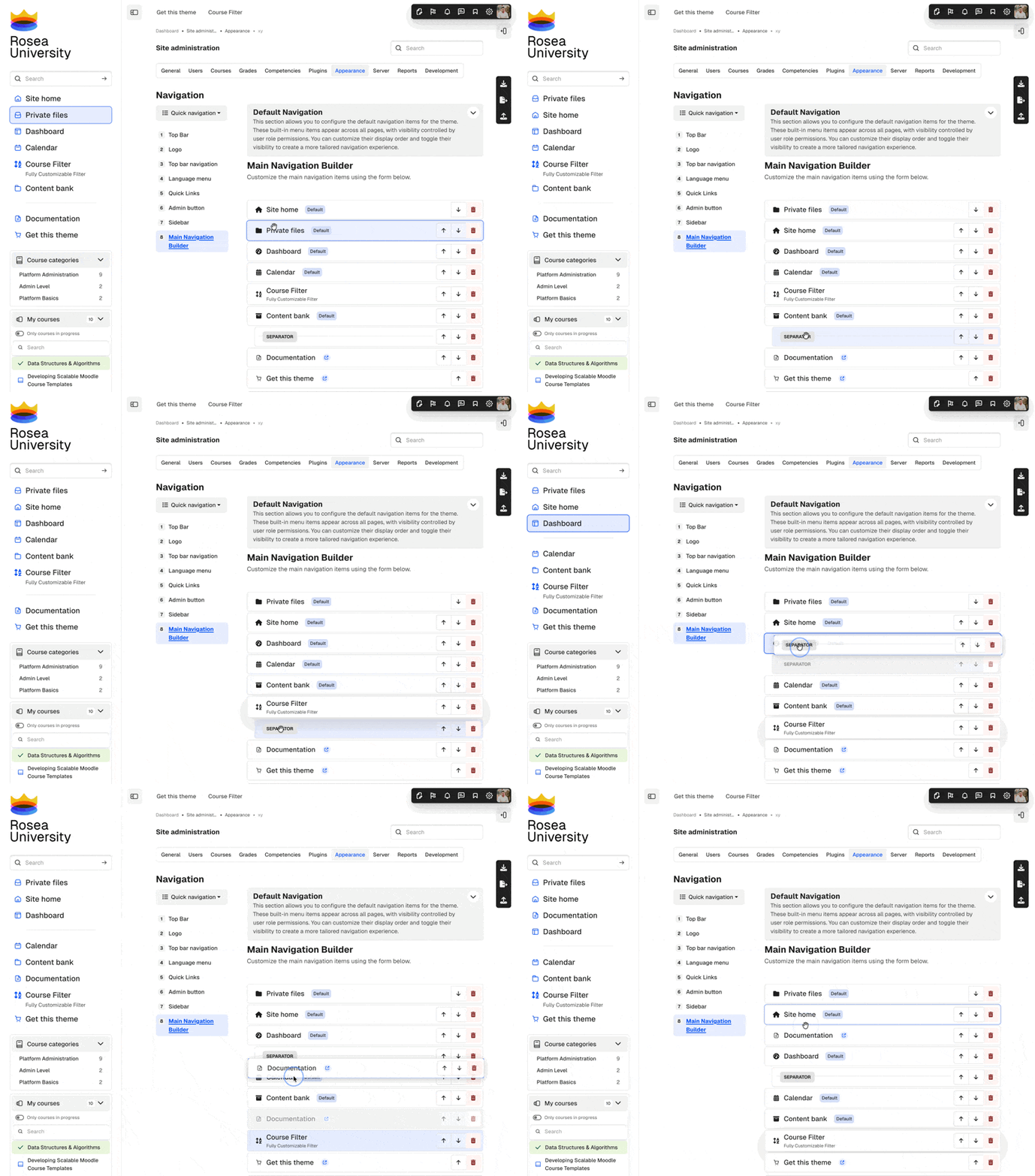
Menu Builder
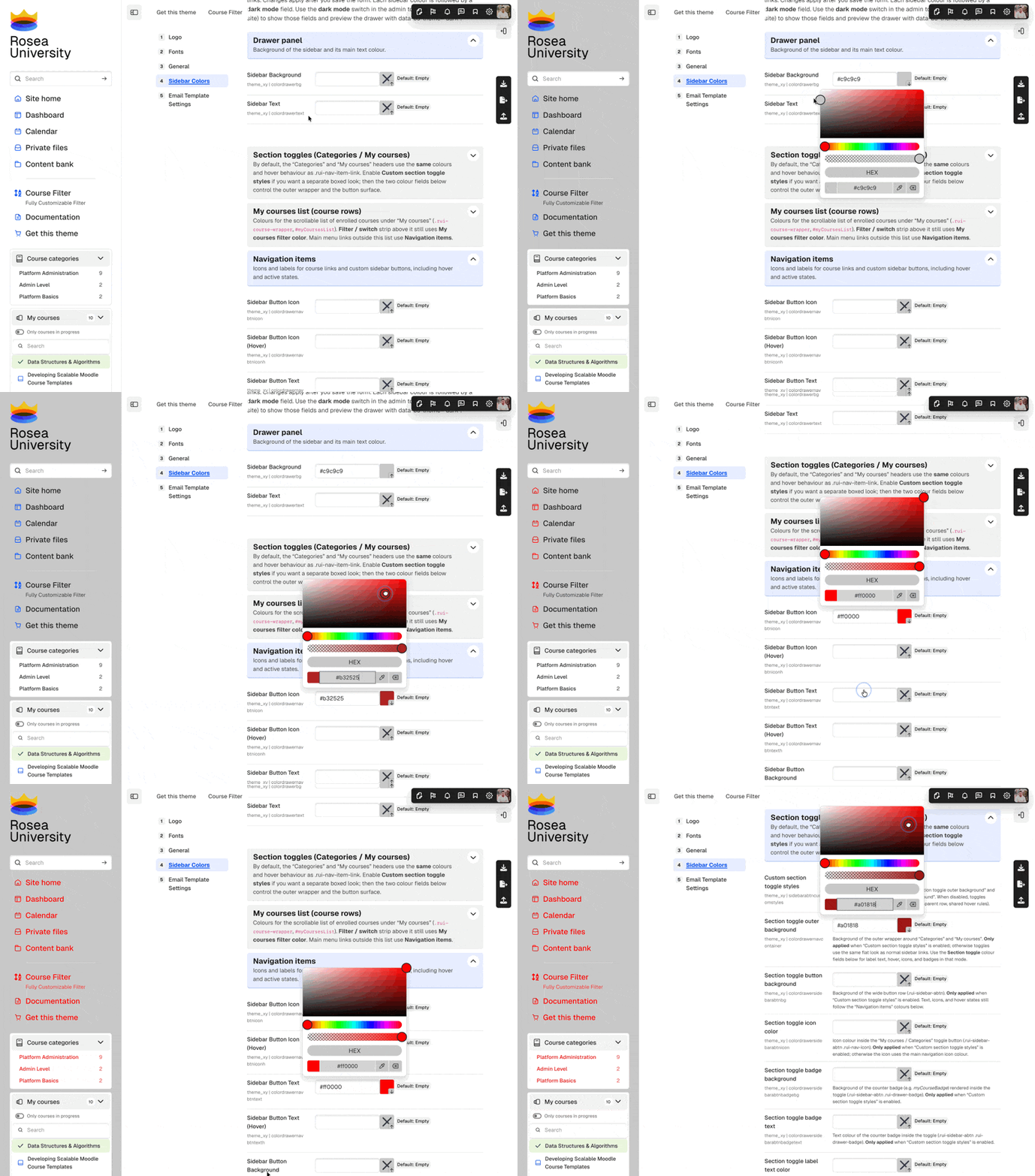
Live customizer
Rosea plugins included with Alpha
Regular, Commercial, Extended, and Ultra licenses purchased directly from RoseaThemes include three additional blocks styled to fit Alpha.
These plugins are included with Regular, Commercial, Extended, and Ultra licenses, but not Solo. They are supplied with purchases made through Lemon Squeezy or directly by invoice from RoseaThemes. MoodleMarket packages contain the Alpha theme only.

Rosea Admin Stats

Rosea Dashboard Stats

Rosea Buttons


Space and XY
Alpha belongs with these two. They share the 2026 core. You pick this one when you want classic Moodle or an icon rail.


WCAG
Alpha adds skip links, keyboard-operable controls, focus styles, and ARIA wiring in templates controlled by the theme. Moodle Core, plugins, course content, and custom brand colors still require separate testing.