



Scholastica gives Moodle a clean layout with a gradient based on your brand colors. The design carries through the dashboard, courses, and login page.
Build your front page and menus from the theme settings. You can preview changes, filter courses, and use dark mode.
I released Scholastica in 2024 and rebuilt it in 2026. It now shares admin tools with Monocolor, Universe, and BAZIS.
Your colors, in light or dark.
Scholastica brings your branding to Moodle, with a gradient that follows your colors and a choice of light or dark mode.

Interface
The dashboard, courses, and login page share the Scholastica look in light and dark mode.

Dashboard

Calendar

Course page

Enrollment page

Course Filter

Blog

My Profile

Login Page

Moodle activities and resources
Built on the RoseaThemes core
Scholastica shares its admin tools with Monocolor, Universe, and BAZIS. Build pages and menus, preview changes, and move your settings between sites.
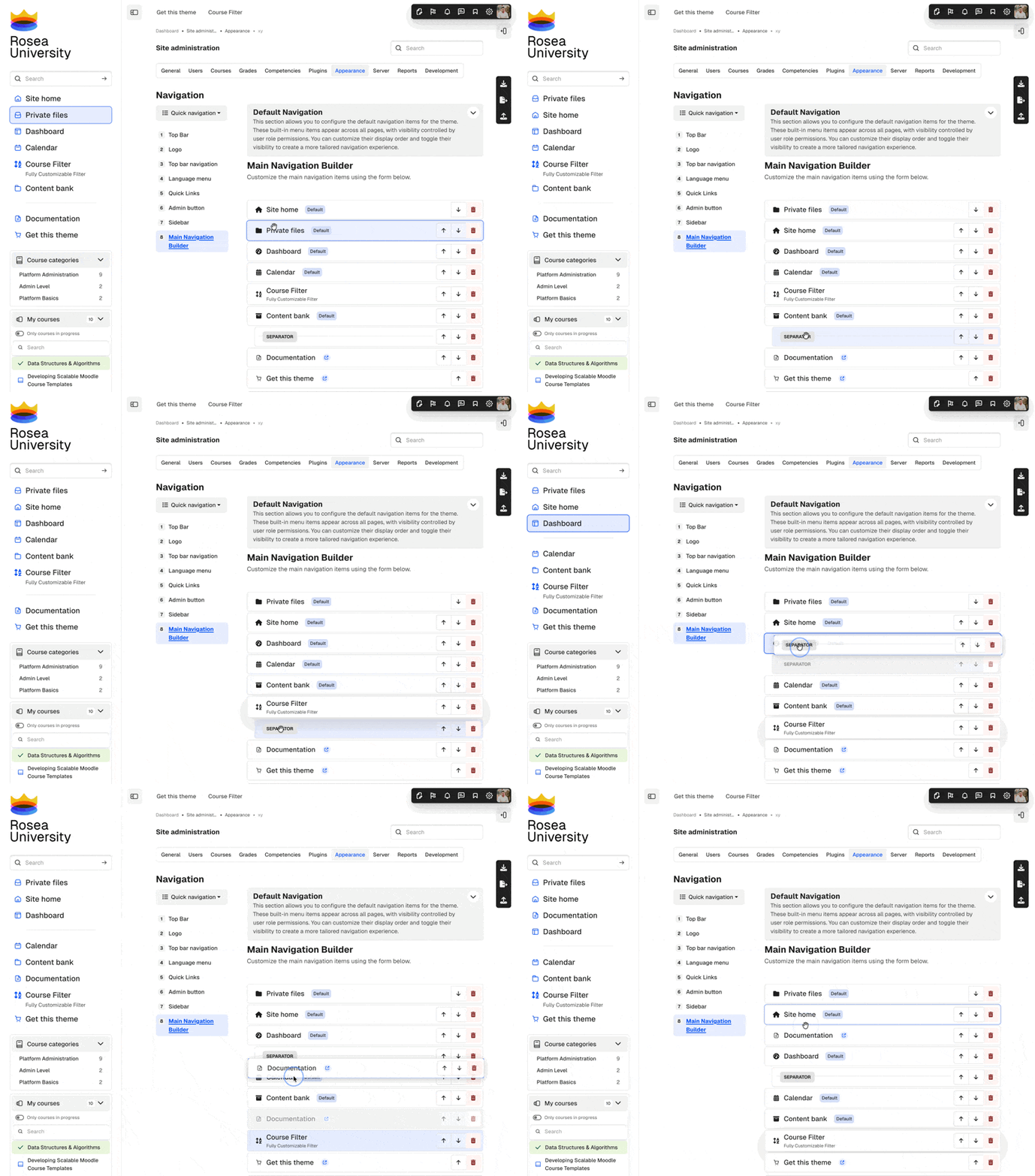
Menu Builder
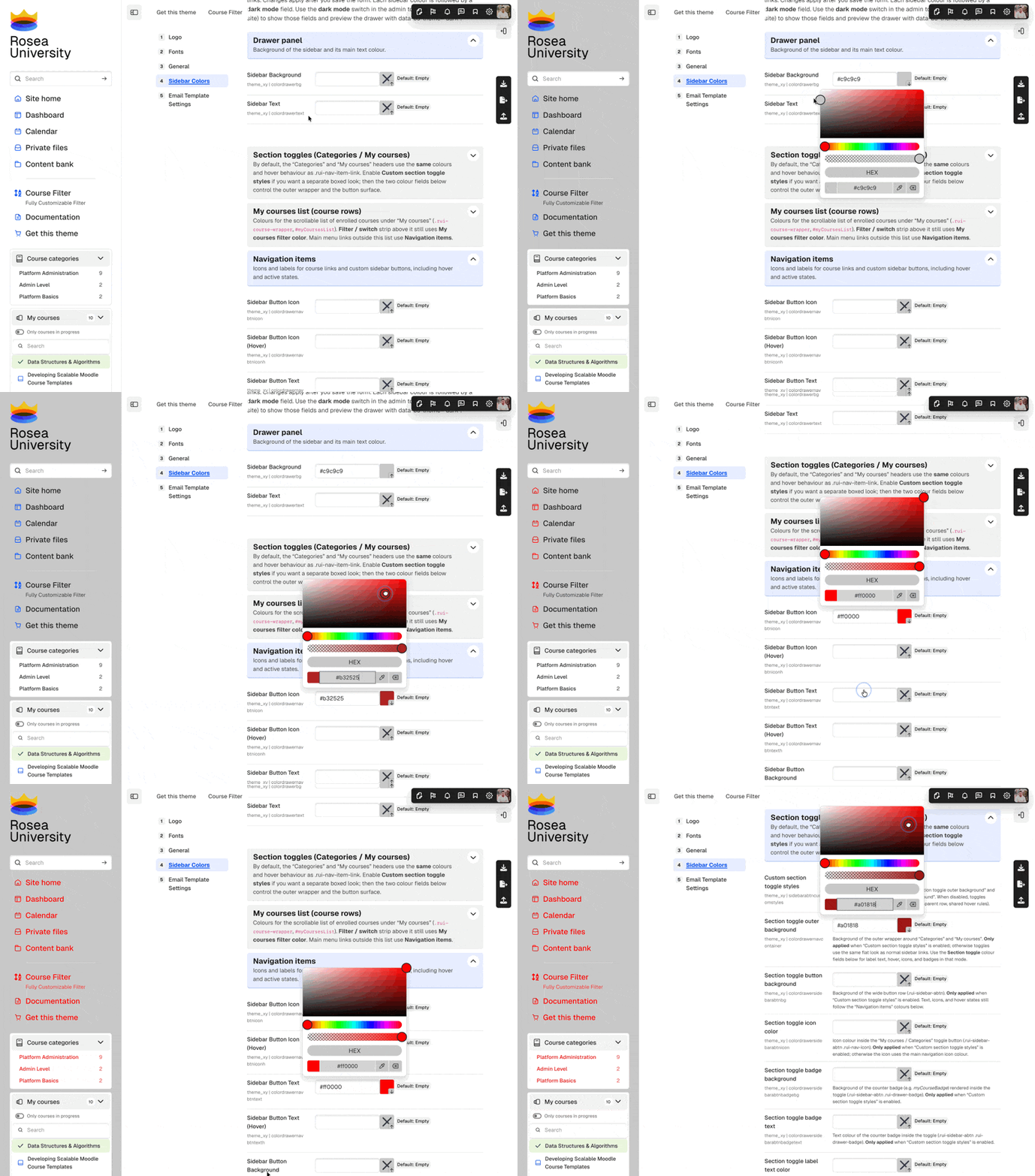
Live customizer
Rosea plugins included with Scholastica
Regular, Commercial, and Extended licenses purchased directly from RoseaThemes include three additional blocks styled to fit Scholastica.
These plugins are included with Regular, Commercial, and Extended licenses, but not Solo. They are supplied with purchases made through Lemon Squeezy or directly by invoice from RoseaThemes. MoodleMarket packages contain the Scholastica theme only.

Rosea Admin Stats

Rosea Dashboard Stats

Rosea Buttons


Monocolor, Universe, and BAZIS
These themes share the same builders. Monocolor has a minimal look, Universe adds course colors, and BAZIS uses a boxed layout.


WCAG
Scholastica includes skip links, keyboard controls, focus styles, and ARIA in the templates it changes. Moodle, plugins, course content, and custom colors need separate testing.